 SlingAgent
The last update was all about analytics: one filter for every report and a live click feed. Since then the work has been on the other side of SlingAgent, the posting side. There's a new kind of post, a new way to use Claude, and a long list of small changes that add up to posts looking right wherever they land.
Notes: post without a link
Not everything you share is a promotion. Sometimes it's a thank-you, a behind-the-scenes photo, a book that just went to the printer, or a thought you want your readers to see. Until now, everything in SlingAgent was built around a link. Notes aren't.
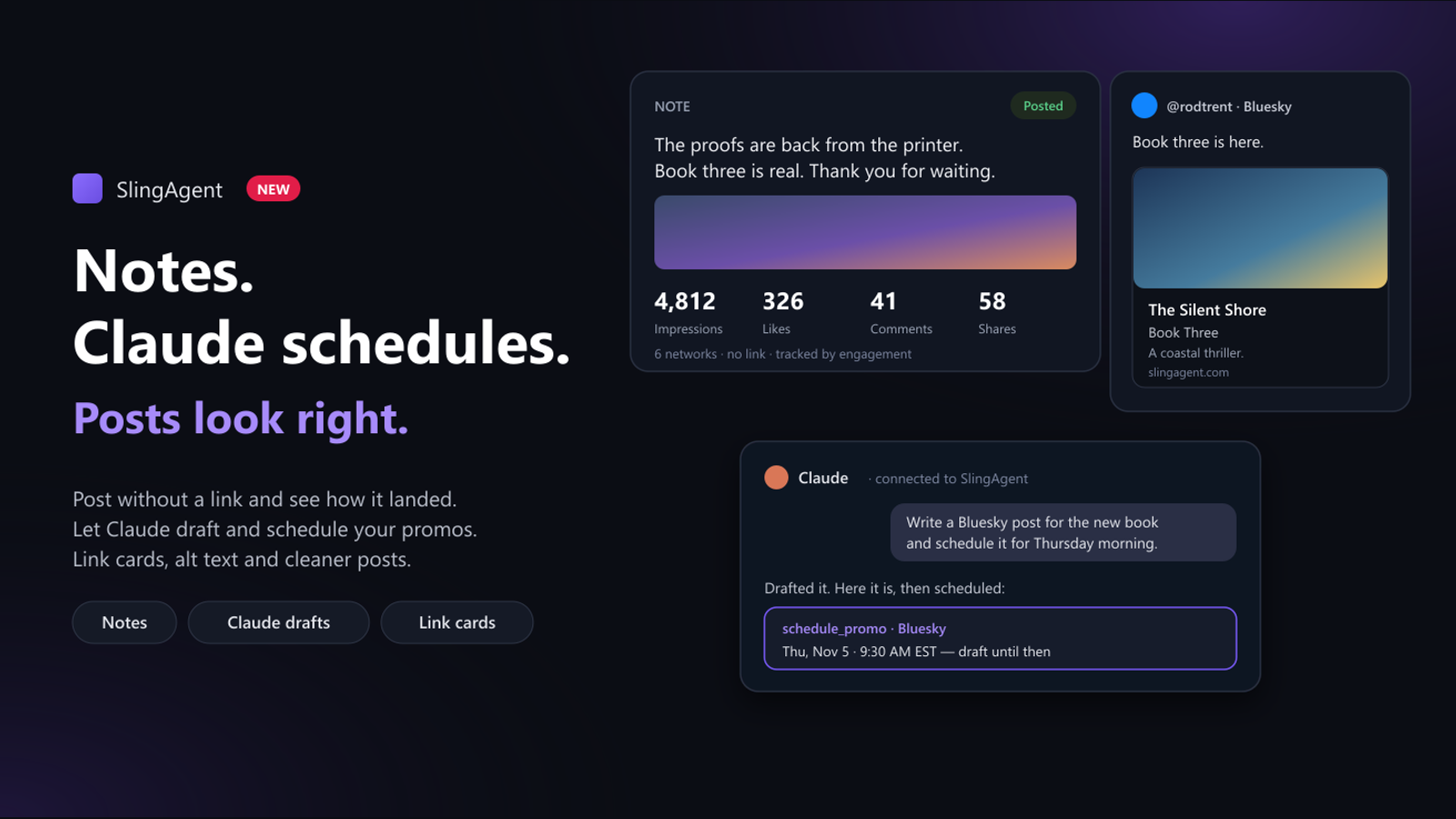
A note is just your words, plus an image if you want one, sent to the accounts you pick. No link gets added. Open Post a note, write it once (or tailor it for each network), add an image, and post it now or schedule it for later.
A note has nothing to click, so SlingAgent tracks it by what the networks report instead: impressions, likes, comments and shares, collected overnight. Each note shows its numbers per network and in total, and the new Notes report shows the bigger picture: how your notes did week by week, which network they land best on, and your best notes. The Analytics overview has a Notes card with the headline numbers too.
A few things I added after using it:
- One row per note. A note sent to six networks shows as one note with six results underneath it, not six rows.
- No accidental double posts. SlingAgent won't post the same note to the same account twice. If you open an old note to post it somewhere new, the networks it already went to are unticked and show when they went out.
- Keep the list tidy. Under Settings → Notes you choose how long notes stay in your list. Removing one never deletes the posts from the networks.
Notes are on every plan. Scheduling a note is on paid plans, the same as everything else.
Notes from any page, with the browser extension
The SlingAgent browser extension is at version 1.0, and its big addition is notes. It opens the same panel as Share once, right on the page you're reading:
- Right-click an image → Post this image as a note starts a note with that image attached.
- Select some text → right-click → Post selection as a note starts one with those words, line breaks kept.
- Write a note in the toolbar popup opens an empty one.
You get the same accounts, Hashtag Groups, AI hashtag suggestions and scheduling as on the web, and you see each network's result when it posts.
Let Claude draft and schedule
SlingAgent has had an MCP connector since October, so Claude could read your analytics and answer things like "which network sent the most clicks this month?" It could look, but it couldn't do anything.
Now, if you allow it, Claude can also write posts and put them on your schedule. Ask "write three Bluesky posts for my new book and schedule the best one for Thursday morning" and it can do that: draft the posts (its own words, or SlingAgent's generator in your brand voice), show them to you, change them, and schedule the one you pick.
I was careful about how much it can do:
- It's off unless you turn it on. When you connect SlingAgent to Claude, there's a box: Also let it draft and schedule posts. Leave it unticked and the connection stays read-only, like before.
- Everything starts as a draft. Nothing Claude writes goes out until it's scheduled, even on links you've set to post automatically.
- No posting on the spot, no deleting. The most Claude can do is put a post on your schedule at a time you agreed on. You can see it, change it or cancel it in SlingAgent before it goes out.
If you already have SlingAgent connected to Claude, your connection is still read-only. To turn on drafting, disconnect it in Claude, connect again, and tick the box. Settings → API tokens → Connected apps shows which access each app has. This is on the Unlimited plan; setup is in the docs.
Posts that look right everywhere
This is the part you won't see a button for. Every network has its own rules for how a post looks, and a few of ours weren't being followed. Now they are:
- Bluesky link cards. Bluesky doesn't build a preview from a link the way other networks do; whoever sends the post has to. SlingAgent wasn't doing that, so Bluesky promos went out as a bare link next to a picture. Now they get a proper card with your title, description and image, which is a much easier thing to tap.
- Real image descriptions. Screen readers read an image's description (its alt text) aloud. Ours used to be the post text again, so a listener heard the same sentence twice. On some networks there was no description at all. Now it describes the actual image: the product or book title for a cover, the scene for AI artwork. If there's nothing true to say about an image, SlingAgent says nothing rather than guessing.
- The link comes before the hashtags. Posts used to put the hashtags first, which buried your link under a row of tags. Now it's your text, then the link, then the hashtags, on every network and in every copy button.
- Long posts on X stay long. Every X post was being cut to fit the standard limit, which shortened posts from Premium accounts that can post much more. SlingAgent now sends the whole post and only shortens it if X refuses it.
- Ad Kit covers aren't cropped. Wide images used to be cut to a square in the Ad Kit banners, which sliced words off screenshots. The whole image shows now.
Inbox: one account at a time
If you have more than one Bluesky or Mastodon account, the Inbox now lets you filter to one of them, next to the status and sentiment filters. Mark all done clears only the account you're looking at. The Inbox is on Pro and Unlimited.
Smaller things
- Share once keeps your image. If you attach an image and come back to a share later, it reopens with the image still there. The composer also says when it's still attaching a page's image and waits for it before posting.
- Your days, everywhere. The sentiment report and the traffic sources trend now split days and weeks at your midnight, like the rest of Analytics.
- Fewer failed generations. When the AI model is busy, SlingAgent falls back to a lighter one instead of giving up.
Who gets it
Notes, the posting fixes and the extension are on every plan. Scheduling is on paid plans, the Inbox on Pro and Unlimited, and Claude drafting on Unlimited. Every new account starts with 14 days of Pro, no card needed.